DoomStudy · free AI study app
The TikTok for studying
Scroll Smarter, Not Harder.
Upload your PDFs, slides or Word notes and AI turns them into flashcards, quizzes and key concepts you scroll like TikTok, on iPhone and Android, online or offline.


Free on iPhone, iPad and Android
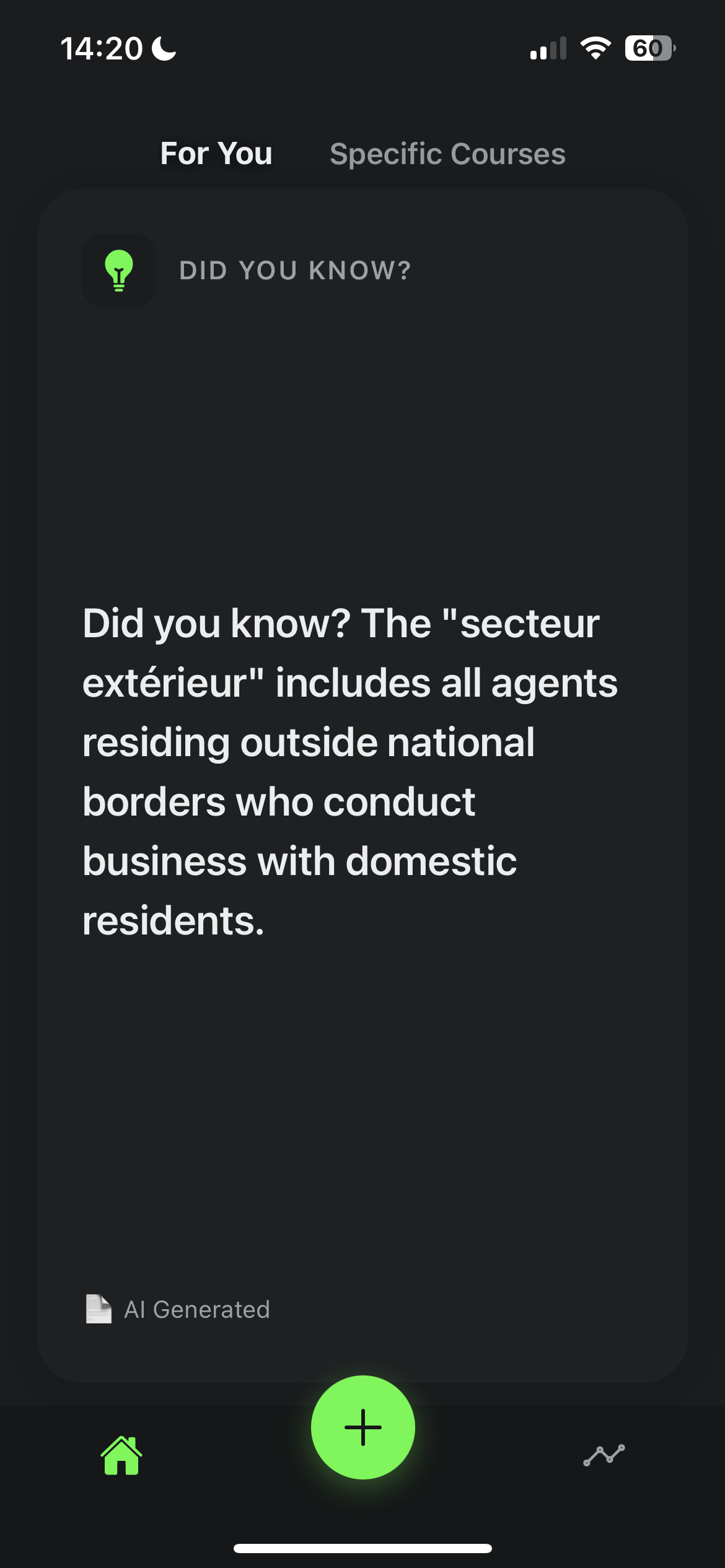
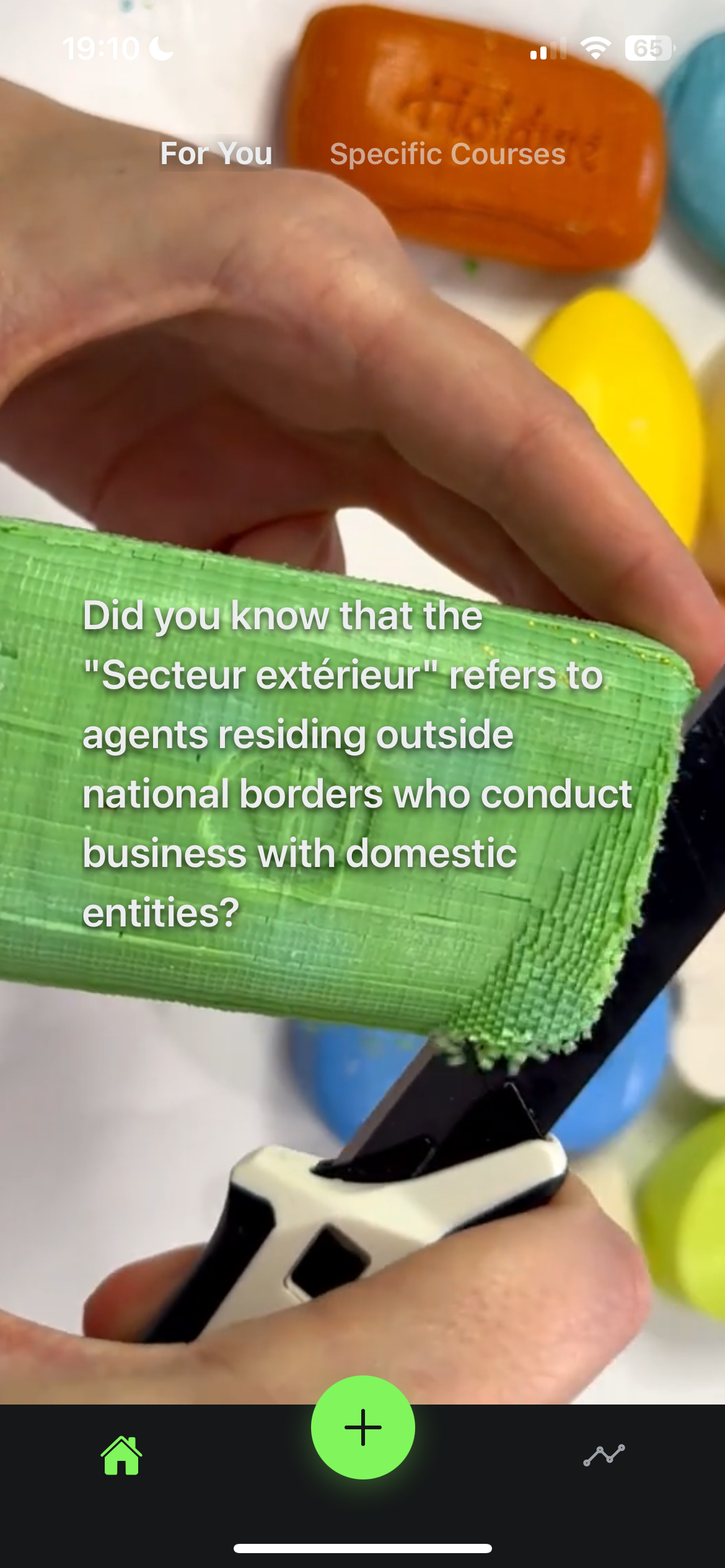
Turn your notes into a study feed
Upload your course files, let AI write the cards, then scroll them like social media. Three steps, no typing.
Upload Notes
Add your PDFs, PowerPoint slides or Word documents to a course. The text is extracted automatically.
Generate Snippets
AI (Gemini, Apple Intelligence or an offline model) writes facts, key concepts, Q&A, true/false and multiple-choice cards from your material.
Scroll to Learn
Swipe through your cards in an endless feed, just like TikTok, and test yourself with quizzes as you go.
Why DoomStudy?
A free study app that turns your own course material into flashcards and quizzes, then serves them in the feed format you already can't put down.
Infinite Study Feed
A vertical, endless feed like TikTok or Reels, filled with cards from your own notes. No friction, just swipe to learn.
Smart Rotation
Courses and files you haven't seen lately come back first, so the feed keeps covering all of your material.
Quizzes & Active Recall
Multiple-choice, true/false and Q&A cards make you retrieve answers from memory instead of passively rereading.
Works Offline
Download an on-device model (Llama, Phi or Qwen) on iPhone or Android and generate cards with no internet connection.
Fully Customizable
Choose your AI model (Gemini, Apple Intelligence or offline), card types including custom ones, which files to use, and how many cards to generate.
Video Backgrounds
Immersive looping video backgrounds for each snippet—ambient nature, gameplay visuals, or custom videos. Muted, seamless, and fully customizable.
Frequently asked questions
Is there a TikTok for studying?
+
Yes. DoomStudy is a free study app that works like TikTok, but every card in the feed comes from your own course material. You upload your PDFs, PowerPoints or Word documents, and AI turns them into short facts, key concepts, Q&A cards, true/false questions and multiple-choice quizzes. You then swipe through them in an endless vertical feed, with optional looping video backgrounds, exactly like you would scroll social media. It is available for free on iPhone, iPad and Android.
How do I turn my notes into flashcards with AI?
+
The quickest way is to upload your notes to an AI study app like DoomStudy. Create a course, add your PDF, PPTX or DOCX files, and the app extracts the text and generates bite-sized study cards for you: facts, key concepts, Q&A, true/false and multiple-choice questions. You choose which card types you want and how many cards each document produces. There is no typing cards by hand, and the result is a scrollable feed you can review anywhere. DoomStudy is free on iPhone and Android.
Can AI make a quiz from a PDF?
+
Yes. AI can read a PDF and write quiz questions from it, and DoomStudy does this automatically. Add a PDF (or a PowerPoint or Word file) to a course and the app generates multiple-choice questions, true/false questions and Q&A cards based only on that material. Quizzes appear in your feed between facts and concepts, so you practise active recall while you scroll. You can pick which files are used for generation and which question types you want. DoomStudy is free to download on iOS and Android.
How do I stop doomscrolling and study instead?
+
Keep the scrolling habit and change what you scroll. Willpower alone rarely beats an app designed to be addictive, so a practical trick is to replace the feed rather than fight it. DoomStudy gives you the same swipe-for-the-next-card experience as TikTok or Reels, but every card is a fact, concept or quiz question from your own classes. When you reach for your phone out of habit, open DoomStudy instead and you are reviewing for your exam within a second. The app is free on iPhone and Android.
Is DoomStudy free?
+
Yes, DoomStudy is free to download and use on iPhone, iPad and Android. There is no subscription and no paywall on generating study cards. The project is also open source under the MIT license, so anyone can read the code on GitHub. You can generate cards with Google Gemini in the cloud, or download an offline AI model to your phone and generate cards on-device. On supported iPhones running iOS 26 or later you can also use Apple Intelligence.
Does DoomStudy work offline?
+
Yes. DoomStudy can generate and show study cards with no internet connection. You can download an on-device AI model (such as Llama 3.2, Phi 3.5 or Qwen 2.5) once, and from then on your notes are turned into cards locally on your phone, on both iPhone and Android. On compatible iPhones with iOS 26 or later, Apple Intelligence is another on-device option. Your courses, cards and progress are stored on your device, so you can study on a plane, on the subway or anywhere without signal.
Is my data private in DoomStudy?
+
Your study materials and progress are stored locally on your device, and DoomStudy has no user accounts. If you use an offline model or Apple Intelligence, your documents never leave your phone. If you choose Google Gemini, the text of your documents is sent to the Gemini API to generate cards, and only when you pick that option. You can delete any course, document or all of your data from inside the app at any time, and uninstalling the app removes everything.
What file types does DoomStudy support?
+
DoomStudy supports PDF, PowerPoint (PPTX) and Word (DOCX) files. When you add a file to a course, the app extracts its text automatically and uses it to generate study cards. That covers most lecture slides, course readers, handouts and typed notes. You can add several files to the same course, organize courses with custom tags, and toggle which files are used when new cards are generated. It is free on iOS and Android.
Is DoomStudy available on Android?
+
Yes. DoomStudy is available for free on Android through Google Play, as well as on iPhone and iPad through the App Store. The Android version supports the same core features: uploading PDF, PPTX and DOCX files, AI-generated facts, concepts, Q&A, true/false and multiple-choice cards, video backgrounds, and offline on-device AI models. Apple Intelligence is the only option that is iPhone-only, because it is built into iOS.
What is active recall and why does it work?
+
Active recall is a study technique where you try to retrieve an answer from memory instead of rereading it. Research on the "testing effect" shows that practising retrieval produces stronger long-term memory than highlighting or rereading notes, because each attempt strengthens the memory you are trying to recall. DoomStudy builds active recall into your feed with Q&A cards, true/false questions and multiple-choice quizzes generated from your own notes, so you test yourself every few swipes. It is free on iPhone and Android.
Stop doomscrolling. Start doomstudying.
Free on iPhone and Android. Upload your notes, get a feed of flashcards and quizzes in seconds.